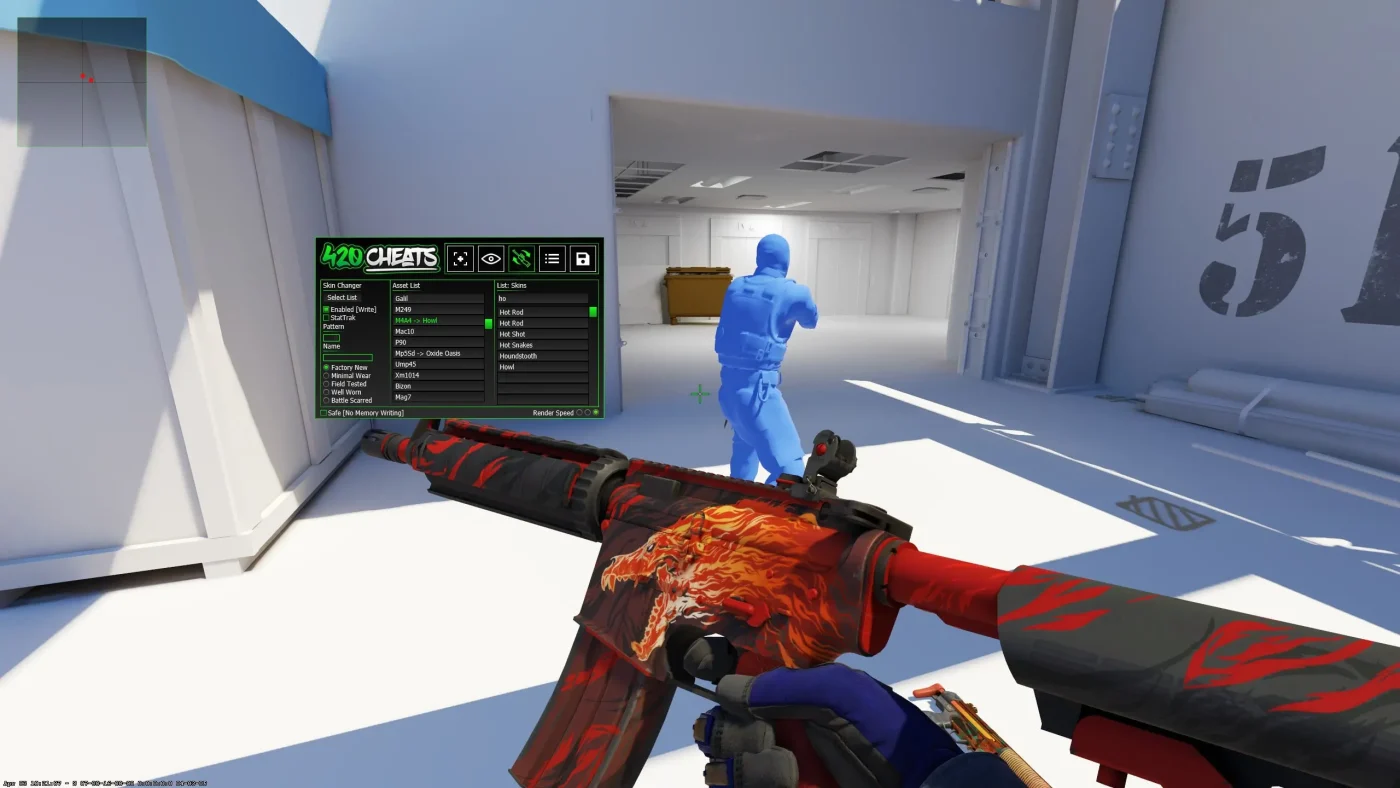
Global Features
- Visibility Check – Makes enemies only targetable when they are visible. Color shifts help show when a player is exposed through walls.
- Show Team – Enables ESP and wallhack visuals for teammates as well as enemies.
- Target Team – Lets aimbot and triggerbot aim at teammates. Useful for custom lobbies and fun modes.
- Safe Mode – Turns off memory writing. This limits advanced cheats like skin changer, knife changer, glove changer, and model swaps.
- Render Speed – Controls how quickly menus and visuals load. Move right for fast PCs, left for slower systems.
Aimbot
The CS2 aimbot automatically locks crosshair on targets, boosting aim accuracy and reaction speed.
- Enabled – Turns the aimbot on or off.
- Keybind – Select a hotkey to hold or press to activate the aimbot.
- Target – Pick which hitbox to aim at, such as head, chest, or neck.
- Auto Switch – After one enemy is down, the aimbot automatically switches to the next inside FOV.
- Field of View – Defines the area where enemies can be locked by the aimbot.
- Draw Aim Spot – Marks a dot on the enemy’s head or chosen hitbox.
- Smooth Level X – Adjusts horizontal aimbot speed. Low values snap fast, high values look legit.
- Smooth Level Y – Adjusts vertical aimbot speed. Use higher values for more natural aim.
Triggerbot
The triggerbot fires automatically when the crosshair passes over an enemy, making reaction time almost instant.
- Enabled – Switches triggerbot on or off.
- Keybind – Choose which key activates the triggerbot.
- Hitbox Selection – Set triggerbot to fire only on specific hitboxes, such as head-only for rage settings.
- Recoil Compensation – Balances weapon recoil while using triggerbot.
- Auto Fire – Fires instantly once an enemy enters crosshair.
- First Bullet Delay – Adds delay before the first shot to appear legit.
- Fire Delay – Sets time gap between each triggerbot shot.
- Fire while moving – Allows triggerbot to work even when player is in motion.
ESP (Wallhacks)
ESP wallhacks reveal enemy positions through walls, giving constant awareness of players around the map.
- Enabled – Turns ESP visuals on or off.
- Keybind – Bind a key to toggle wallhacks during matches.
- Visible Only – Shows ESP only when enemies are in line of sight.
- Show Team – Adds wallhack visuals for teammates too.
- Bone ESP – Displays player skeletons for precise tracking.
- Box – Draws a simple box around enemies.
- Box Style – Change how ESP boxes look.
- Gradient – Adds gradient colors to ESP boxes.
- Box Fill – Fills boxes with semi-transparent color.
- Drop Shadow – Gives ESP boxes a shadow effect for better visibility.
- Box Thickness – Controls border line thickness of ESP boxes.
- Distance Fade – ESP fades as players get further away.
- Fade Level – Sets how strong the distance fade effect is.
- Name – Displays enemy player names.
- Health – Shows health bars above players.
- Weapon – Shows which gun or item a player is holding.
- Font Size – Adjusts text size for ESP labels.
- Field of View – Draws the aimbot FOV circle for better tuning.
Radar
Radar hacks expand the in-game radar, showing enemy locations and movements that are normally hidden.
- Enabled – Turns the radar hack on or off.
- Overlay – Places the cheat radar on top of the default game radar, with options to resize and move.
- Standalone – Lets you drag the radar anywhere on the screen as a separate window.
- Clip – Manages how radar icons and elements are positioned.
- Radar Size – Adjusts the overall radar size.
- Player Size – Changes the size of player markers on the radar.
- Show Team – Displays teammate locations along with enemies.
Skin Changer
The CS2 skin changer swaps the look of weapons, knives, gloves, and models without needing to own the skins.
- Select List – Choose categories like weapon skins, gloves, knives, or character models.
- Enabled – Turns the skin changer on or off.
Misc
- Recoil Compensation – Reduces spray recoil when using the aimbot.
- X-axis – Controls horizontal recoil compensation. 50% is usually recommended.
- Y-axis – Controls vertical recoil compensation. 50% is usually recommended.
- Standalone RCS – Applies recoil control even without aimbot or triggerbot active.
- Trigger when – Only activates recoil control if bullets are available.
- Compensate X-axis – Fine-tunes recoil adjustment horizontally.
- Compensate Y-axis – Fine-tunes recoil adjustment vertically.
- RCS Smooth X – Smooths horizontal recoil control for a more legit look.
- RCS Smooth Y – Smooths vertical recoil control for natural aim correction.
- Recoil Crosshair – Draws an extra crosshair that tracks spray pattern.
- Exposure – Adjusts in-game brightness to improve visibility.
- Exposure Level – Controls how dark or bright the effect is.
- Spectator List – Shows a list of players currently spectating you.
- C4 Timer – Displays a countdown timer for planted bombs.
Custom
Config system lets you save, load, and share cheat setups. Paths are shown for stored configs.
Buy CS2 Cheats Discover CS2 Cheats